Website and API Uptime Monitoring for Developers
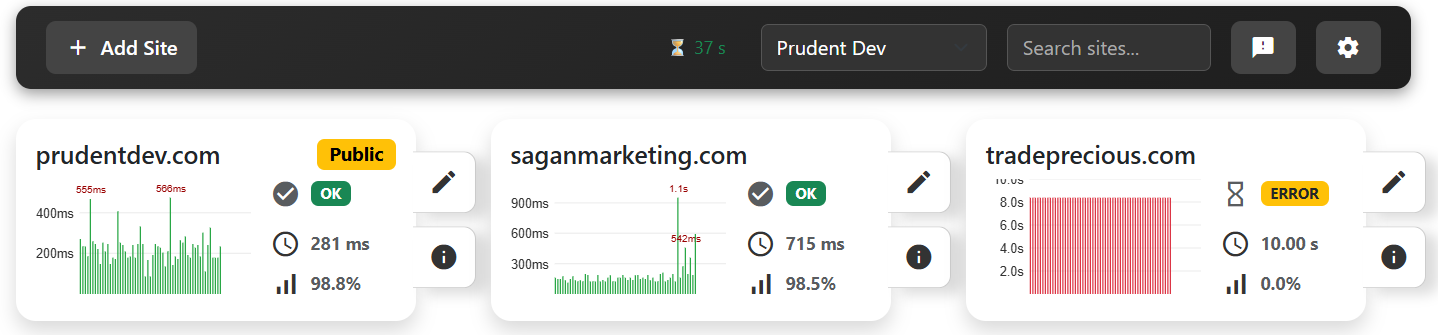
Monitoring should be calm. SiteInformant focuses on clean signal, predictable checks, and data you can automate. Track uptime, response time, SSL health, and key metadata without a pile of noisy alerts.
Why developers use uptime monitoring
Because the first sign of a problem is often a customer message. A quiet monitor lets you catch failures, slowdowns, and SSL issues before they become a fire drill.
What you can monitor
Reduce false alarms without hiding real failures
Monitoring is useful only when the notification deserves attention. SiteInformant uses explicit, predictable controls instead of vague automated decisions.
Confirm suspected outages
Before sending a downtime alert, eligible public HTTP and HTTPS endpoints on ports 80 or 443 are checked from a second U.S. cloud region. If confirmation is unavailable, alerting falls back to the primary check after your configured outage delay.
Alert on sustained slowdowns
In an escalation policy, choose a response-time threshold, degradation delay, recovery delay, and destinations. Each confirmed performance incident produces one degradation alert and one recovery alert.
Schedule planned maintenance
Use a one-time maintenance window or select start days, a UTC start time, and a duration for a recurring weekly schedule. Alerts pause while checks and history continue.
Monitor authenticated endpoints
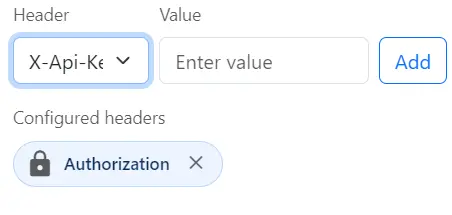
Many developer endpoints require authentication. SiteInformant supports attaching request headers for monitoring protected routes. Values are stored encrypted and are never shown publicly.
- Authorization
- X-Api-Key
- Accept
- User-Agent
How it works
FAQ
Start monitoring in under a minute
Calm monitoring for developers who want clean signal and clean data.
Create My Account